Faderfield DJ
I built Faderfield for mixing by phrase. Before bringing in the next track, I want to know where its phrase starts, whether the kicks are aligned, and what the cue and master are each carrying.
- My role
- Developer
- Platform
- macOS
Building a 16-bar blend
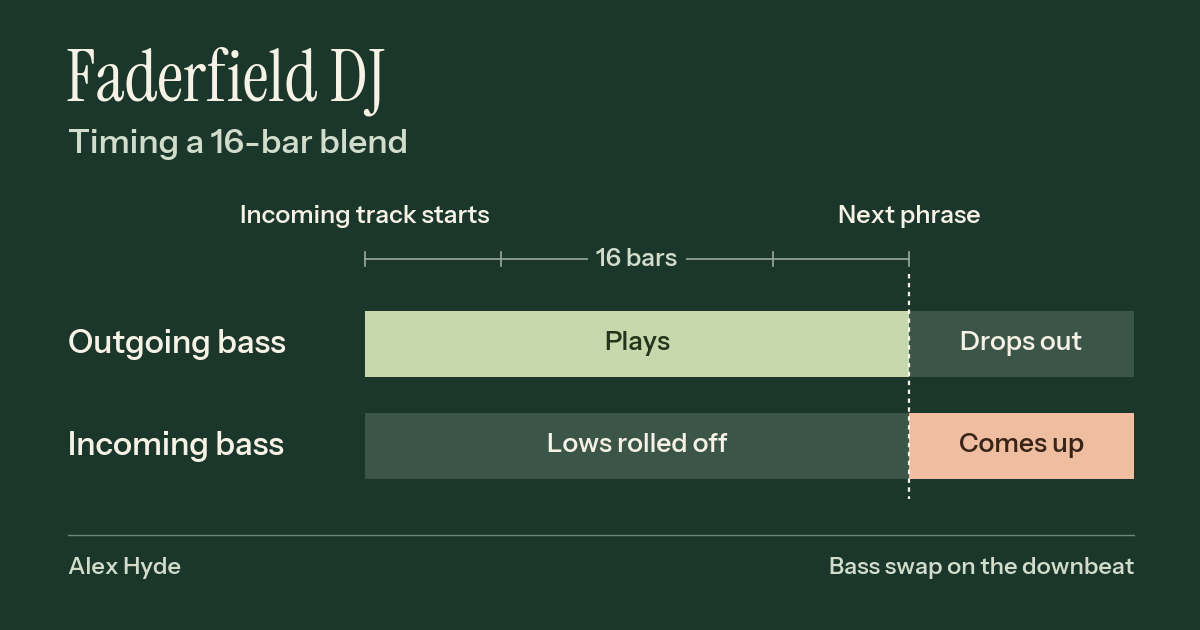
If the outgoing track drops its bass at the next phrase change, I can bring the incoming track in 16 bars early with its lows rolled off. I set the cue at the start of its phrase and bring up the incoming bass on the downbeat where the outgoing bass drops.
I kept the beatgrid, cue points, and mixer in view together so I could check the phrase boundary while working the faders.
Phase, tempo, and cue routing
With the incoming channel fader down, I compare its kick in cue with the kick on the master. When the kicks flam, I nudge the jog rim until the transients line up. If they start to separate again over the next phrase, I adjust the pitch fader and listen through the next downbeat.
I use the same setup to check the cue routing. I can work the jog rim on the incoming deck in my headphones while the outgoing deck alone feeds the master. Then I bring up the incoming channel at the phrase I’ve marked.
View Faderfield DJ on GitHub